Nmap Commands Guide — Essential Scanning Techniques
Nmap is one of the most powerful tools in a cybersecurity professional’s arsenal. This guide covers essential Nmap commands with practical explanations of what each one does and when to use it.
nmap -Pn -p <port>
Used to scan a target’s ports directly, skipping host discovery. Nmap will not check whether the host is “up” — it assumes it is and proceeds straight to port scanning. 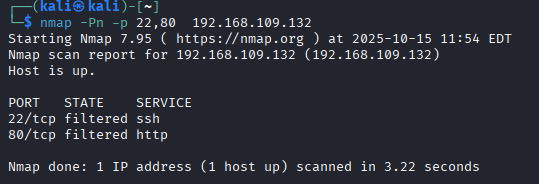
Useful when a target blocks ICMP pings, making it appear offline even when it’s not.
nmap --sC
Launches a set of default NSE (Nmap Scripting Engine) scripts against the target. This gathers information such as service details, host info, and known vulnerabilities. 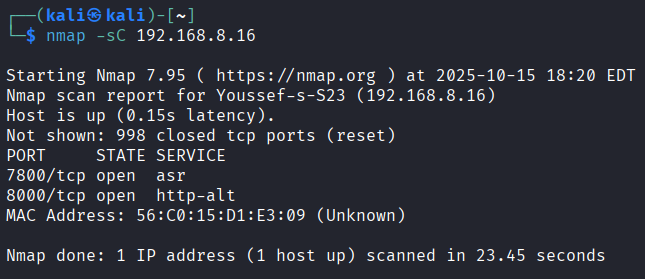
nmap -T2 --sS
Performs a SYN scan (also called a stealth or half-open scan). Nmap sends SYN packets to the target without completing the TCP handshake, allowing it to determine whether a port is open without establishing a full connection.  The
The -T[2-5] flag controls the timing/speed of the scan:
- Higher numbers = faster and more aggressive
- Higher numbers also = greater risk of detection by IDS/IPS
nmap -F
Fast scan mode — scans fewer ports than the default scan, making it quicker and more discreet. Useful for a rapid first look at a target.
nmap -iL hosts.txt --excludefile exclude.txt -oG results.grep
A powerful combination for scanning multiple targets at once:
-iL hosts.txt— reads a list of target hosts from a file--excludefile exclude.txt— excludes specific hosts listed in a separate file-oG results.grep— writes the scan results in grepable format to a.grepfile
Great for large-scale network audits where you need to automate and filter your targets.
nmap -v -A scanme.nmap.org
Performs an aggressive scan with high verbosity: 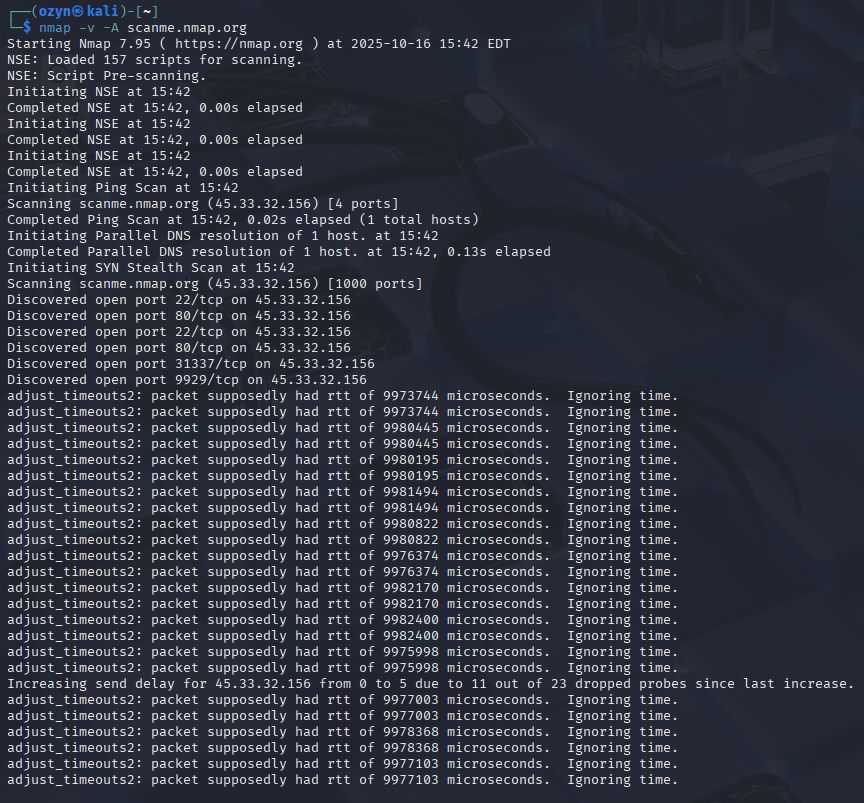
-v(verbose) — prints more information during the scan in real time-Aenables multiple features at once:- OS detection
- Service version detection
- Default NSE scripts
- Traceroute
This command gives you maximum information about a target in a single run.
nmap -sS -p 1-65535 -T4 <IPv4>
A full TCP SYN scan covering all 65535 ports on a specific host: 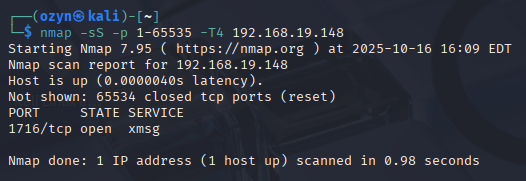
-sS— stealth SYN scan (faster and less likely to be logged than a full connect scan)-p 1-65535— scans every TCP port-T4— aggressive timing, fast but still stable
Commonly used in security audits to discover every open TCP port on a target machine.
nmap -sU -p 53,67,123 10.0.0.0/24
Performs a UDP scan across an entire subnet, targeting specific ports: 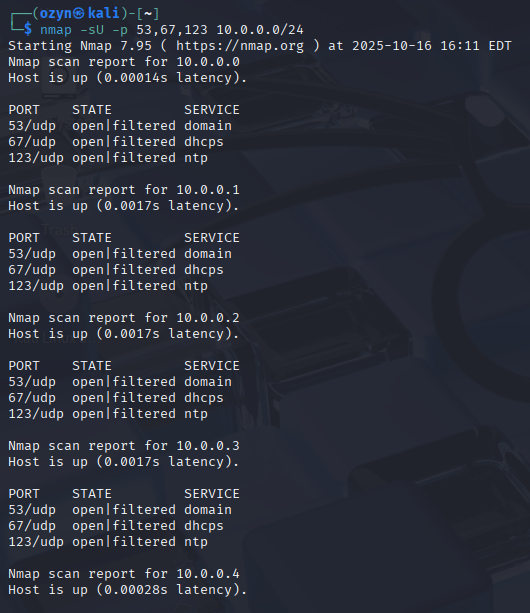
-sU— scans UDP ports instead of TCP-p 53,67,123— targets DNS (53), DHCP (67), and NTP (123) ports10.0.0.0/24— scans all 256 hosts on the subnet
UDP scans are typically slower and less reliable than TCP scans, since UDP responses are often absent or blocked by firewalls.
nmap -sV --version-intensity 2 -p 22,80,443 example.com
Identifies the exact versions of services running on common ports: 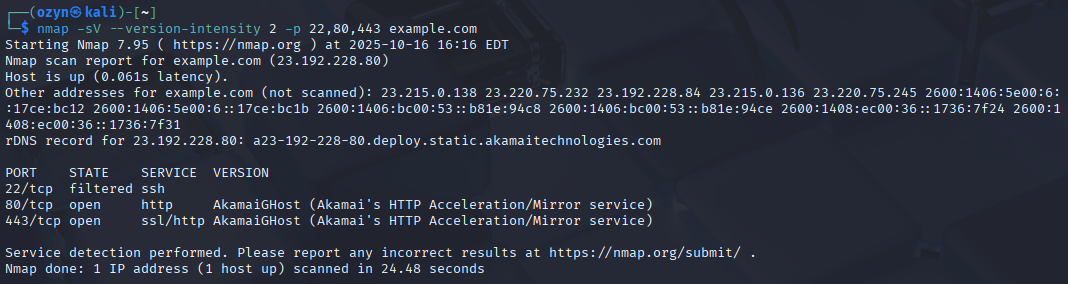
-sV— enables service version detection--version-intensity 2— reduces probe intensity (faster, slightly less accurate)-p 22,80,443— targets SSH, HTTP, and HTTPS ports
Knowing exact service versions helps identify which CVEs may apply to a target.
nmap -O --osscan-guess <IPv4>
Attempts to detect the operating system of the target machine: 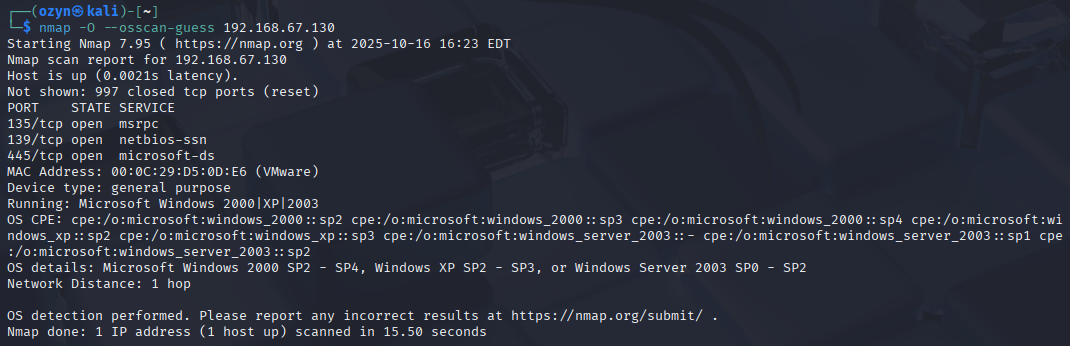
-O— enables OS detection by analyzing network responses--osscan-guess— allows Nmap to make more aggressive guesses when no perfect match is found
Results can be approximate, but this is useful for identifying whether a target runs Windows, Linux, or another OS.
nmap -sS -D RND:10 -p 22 est.uit.ac.ma
Performs a SYN scan on port 22 (SSH) while using decoys to hide the real source of the scan: 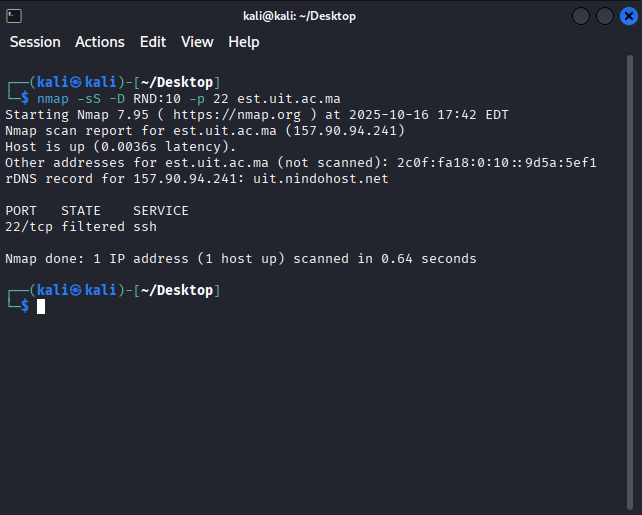
-sS— stealth SYN scan-D RND:10— generates 10 random decoy IP addresses to obscure the real scanner’s identity-p 22— targets SSH portest.uit.ac.ma— the target hostname (resolved to an IP before scanning)
This technique makes it harder for the target’s IDS to identify the true origin of the scan.
nmap --script http-enum -p 80,8080 <IPv4>
Enumerates common web directories and files on HTTP services: 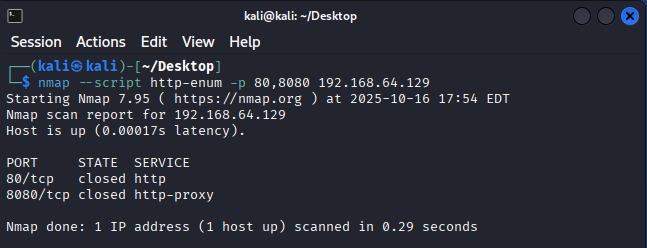
--script http-enum— runs the NSE script that searches for directories and files used by popular web applications and servers-p 80,8080— targets standard HTTP ports
Useful for web application reconnaissance to discover hidden paths, admin panels, or sensitive files.
nmap -6 -p 80,443 -A fe80::38d9:75c8:f31a:fa2b%eth0
Performs an aggressive scan over IPv6 on HTTP/HTTPS ports: 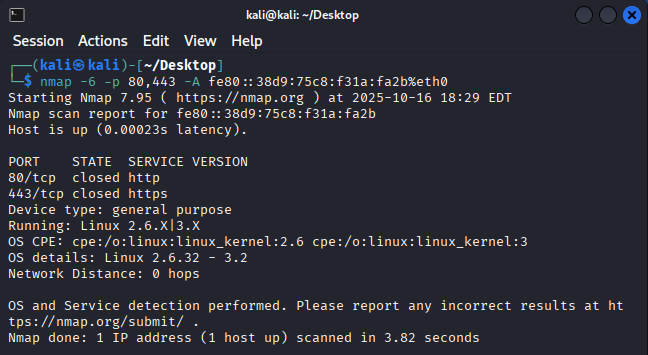
-6— forces IPv6 scanning-p 80,443— targets HTTP and HTTPS-A— aggressive mode (OS detection, version detection, NSE scripts, traceroute)fe80::...%eth0— a link-local IPv6 address; the%eth0suffix specifies the network interface to use
Note: This only works if both the scanner and target are on the same local link and IPv6 is supported on the interface.
nmap --traceroute -sT -p 80 est.uit.ac.ma
Performs a TCP connect scan on port 80 and traces the network path to the target: 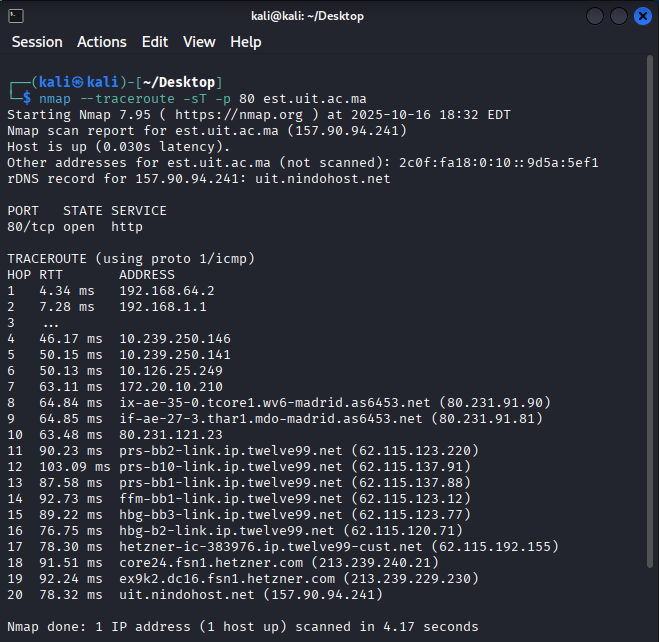
--traceroute— displays each network hop between the scanner and the target-sT— TCP connect scan (completes the full handshake; useful without root privileges)-p 80— targets HTTP
Useful for understanding network topology and identifying intermediate routers or firewalls between you and a target.
nmap -sS -p 1-1024 --open --reason --packet-trace <IPv4>
A detailed diagnostic SYN scan of the first 1024 ports: 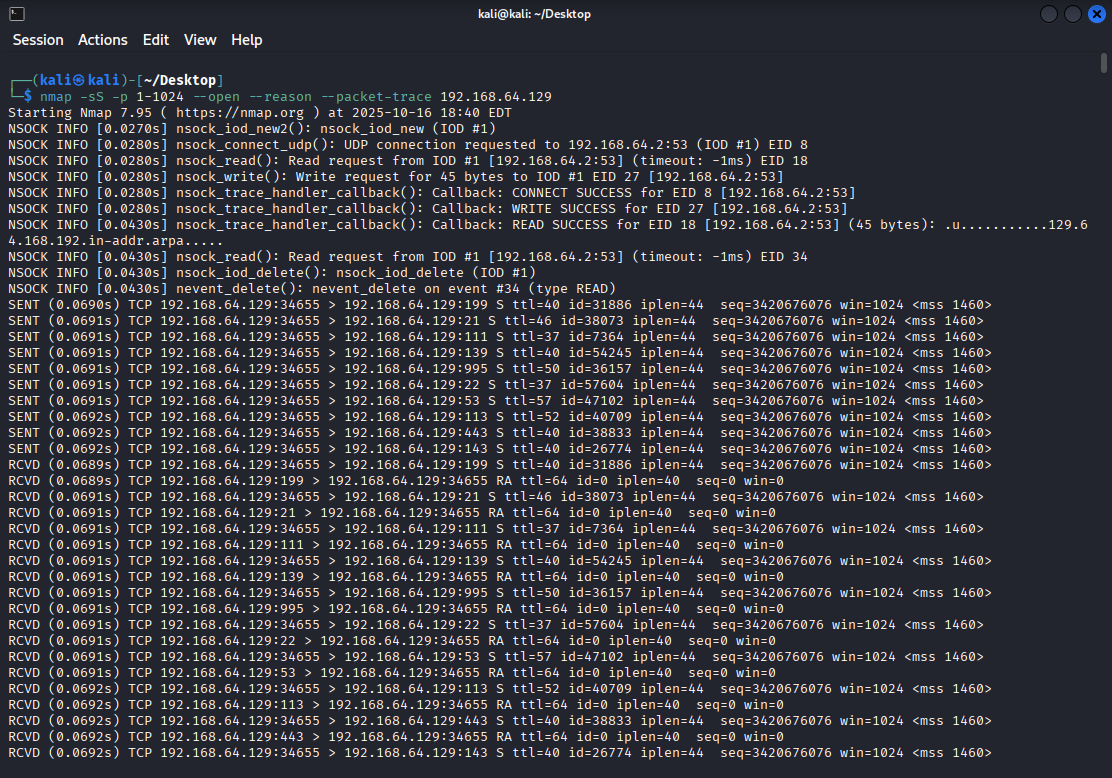
-sS— stealth SYN scan-p 1-1024— scans well-known ports--open— only shows ports that are potentially open (filters out closed/filtered)--reason— shows why Nmap classified each port state (which packet type triggered the result)--packet-trace— prints a summary of every packet sent and received
Excellent for debugging scan behavior and deeply understanding how Nmap interacts with a target.
Summary Table
| Command | Purpose |
|---|---|
-Pn | Skip host discovery |
--sC | Run default NSE scripts |
-sS | Stealth SYN scan |
-F | Fast scan (fewer ports) |
-iL | Input list of hosts from file |
-oG | Output in grepable format |
-v -A | Verbose aggressive scan |
-sU | UDP scan |
-sV | Service version detection |
-O | OS detection |
-D RND:10 | Scan with 10 random decoys |
--script http-enum | Web directory enumeration |
-6 | IPv6 scan |
--traceroute | Show network path to target |
--reason --packet-trace | Debug scan behavior |